I’ve had a lot of discussions recently with my students and coworkers on the topic of the paranormal, and I’m intrigued by how many of them believe in the existence of such matters. While most people are skeptical, others have simultaneously expressed belief in very specific things (mermaids, psychics) and a small few don’t deny anything. One student yesterday told me “I believe in everything!”
For the most part I simply ask and am happy to hear their responses without commenting. I think they know I don’t believe in any most of it, since often they pose questions asking me why ‘things’ can’t exist (as opposed to whether I believe them or not). But enough people have asked me about these topics I thought it was time to address it all here.
So here we go, in no particular order…
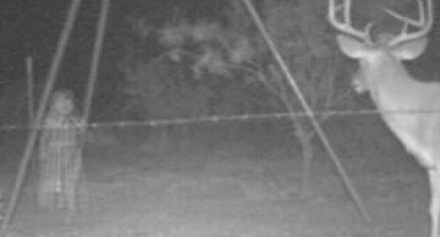
Ghosts aren’t real, period. There is absolutely no evidence for them, there never has been, and there never will be. There is no theoretical basis for their existence, and they occupy no part of the world that we don’t understand. Ghosts are – have always been – a figment created by human fear of death and the afterlife. Wouldn’t it be nice if our dearly departed weren’t gone after all? Of all the topics in this blog, ghosts are the most widely believed with about a third of westerners thinking they are real (and about a fifth of believers claiming to have seen one).
So if ghosts aren’t real but millions of people believe they have seen (or felt) one – including an intelligent, well-educated coworker of mine – what is the explanation? There are a few, but my favourite is the tendency for the brain to find patterns where none exist. Very few people have ever reported seeing ghosts clearly in broad daylight when they were wide awake and calm. They are more likely seen at night or in very poor light, when the viewer is alone and in a state of heightened tension. Suggestible if you will, like the haunted card deck.
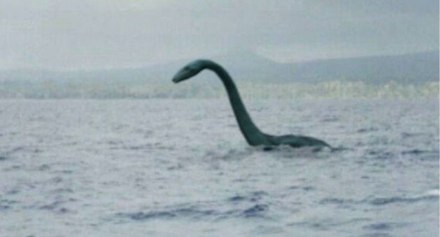
Cryptids (excluding bigfoot) might be real. A cryptid is an unknown animal (although some expand the definition to include sentient creatures) and while the most famous examples include lake monsters, bigfoot (see next), chupacabra and ‘Beasts of Exmoor’ there are also much more fantastic (not to mention unlikely) examples such as Ningen, Bunyips and the Congo river dinosaur Mokele-mbembe (allegedly filmed by a Japanese expedition in 1988).
Though it pains me to say it, most of these don’t exist. I say this because as a youth I was slightly obsessed with cryptids, and to this day have several volumes on the topic on a shelf in this very room. My particular forte was ‘sea monsters’ but despite sightings going back centuries none have ever been found, nor has any real evidence been located. Likewise for the other famous cryptids, most of which have been ‘seen’ far less than lake monsters.
And yet this is not a topic that can be easily dismissed. For years gigantic squids were the stuff of legend, but we now know they absolutely exist. These are the largest examples of ‘unknown’ creatures being recently discovered, but every year we find more and more hiding in dark corners of the world. Might there be a colony of large cats living in the wilds of England? Possibly.
The weird ones though, such as werewolves, unicorns, dragons and ‘cloud creatures’ that live permanently in the upper atmosphere are exactly as they seem: creatures of myth and legend. The most open-minded (some may say optimistic) cryptozoologists may entertain the possibilities of some of these being real (or at least based on real animals) but I remain firmly skeptical.

Bigfoot (also known as Sasquatch, Yowie, Yeti, Yeren etc.) isn’t real. Centuries of searching for these man-apes has produced no actual evidence short of dubious footprint casts and hair swatches that when tested have always been identified as known animals (such as elk or bears).
Most belief in bigfoot stems from the famous 1967 ‘Patterson-Gimlim’ film that has now been exposed as a hoax. In the years since there have been a few other notable claims of bigfoot’s authenticity, but none held up under scrutiny and all have since been confirmed as hoaxes. In fact almost ever single ‘sighting’ is quickly determined to be fake, and the very few that may have involved someone seeing an unidentified creature are almost always bears or other large woodland creatures.
And yet the myth continues. ‘Bigfoot hunters’ exist, sightings continue and (some) people believe. There is an overwhelming amount of scientific evidence and theory contradicting the existence of this guy, but as long as money can be made on hoaxes or TV shows about searching the legend will continue.
After all, aren’t we now living in a ‘post truth’ world?
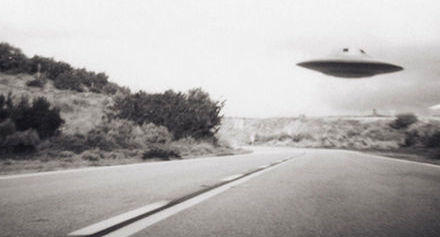
UFOs and Aliens are a tricky subject. One certainly exists, the other probably doesn’t.
It’s been about 60 years since UFOs entered the public consciousness, but reports of unidentified objects in the sky have been around for centuries, long predating the invention of manned flight. It was in the middle of the 20th century that the mania took off though, and for a while there it must have seemed possible that an actual alien landing on Earth was imminent.
I’ve written about UFOs before since I find the topic intriguing, I’ve never seen one, and I believe those that have are experiencing the same sort of phenomenon that explains ghost sightings, and yet I think the possibility exists that they could exist. Here’s why:
- There’s nothing supernatural about them. If we put our minds to it, we humans could build a craft that could traverse interstellar distances.
- If we could build such a craft and survive the journey to another planet I’m convinced we would.
- This is the most compelling proof: Aliens certainly exist
I’ll get to that last point in a bit, but first more on the second. Just this week NASA announced the possible existence of life-supporting planets about 40 light-years from Earth. Suppose we built a craft that could safely traverse that distance. Using the known laws of physics – in particular with regards to energy and relativity – it is very, very unlikely we could get to that planet in anything less than thousands of years (and likely far longer). So if we wanted to send our own UFOs to them, no-one could survive the trip. ‘Generational’ craft (that support communities that breed in space) are hardly a possibility given the social and technological obstacles, and suspended animation is science fantasy.
And yet, I am 100% sure that life on other planets exists. The universe is so impossibly – possibly infinitely! – large that Earth is just one tiny planet in one tiny corner of one tiny room. There are trillions upon trillions of other planets like ours out there and it is absurd to think that life evolved only on this one. It is equally ridiculous to suppose we are the most advanced life in the universe, which is to say if we ever could build interstellar craft than ‘someone’ else already has.
But those distances! Those energy requirements! The light speed constraint!
Yes aliens exist. Yes they may be able to build spaceships so advanced we perceive them as magical. But can they actually get here and have people actually seen them? I won’t say for sure, but it seems extremely unlikely.

I could go on, and discuss topics such as time travel, espers, fairies, crop circles and many more but I’ve covered the big ones and I think you could anticipate my thoughts on the others.
While it’s fun to believe – and in fact I want to believe – I’ve become a very rational man and simply don’t. What I do enjoy is the belief of others, so if you are convinced your home is haunted or you saw an alien on a windswept beach one evening then please, please, don’t let anyone tell you it didn’t happen. Memories like this are what makes us unique, and it would be a shame for anyone to ever take them away.