Category: Tech

Competition Pro

proj

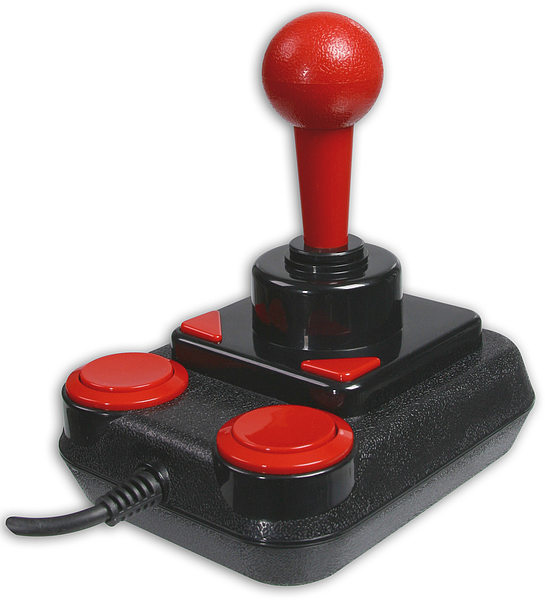
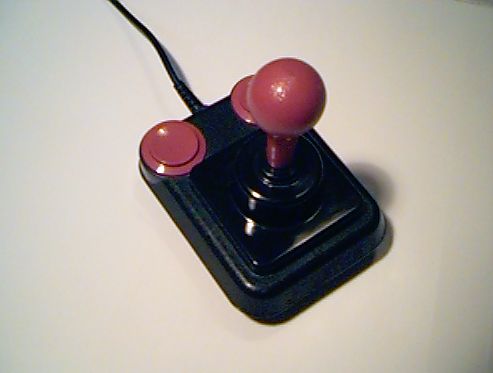
That is a picture of the ‘Competition Pro’ joystick – the first (and I believe only) item I ever bought on lay-by.

Known as ‘layaway’ in the US, lay-by is the process of buying an item in installments. It is virtually unknown these days due to credit cards, but used to be very popular.

One day in 1984 (or early 1985), after endlessly reading about how great the Competition Pro joystick was in the imported UK game magazines of the day, I discovered they were sold at K-Mart, Charlestown Square. I remember seeing one in a glass case in the electronics section and wanting it so badly. In those days game systems did not come with controllers, so there was a vibrant market of third party devices. For me, the competition pro was at the top of the pile. The pinnacle of control! It even had microswitches!

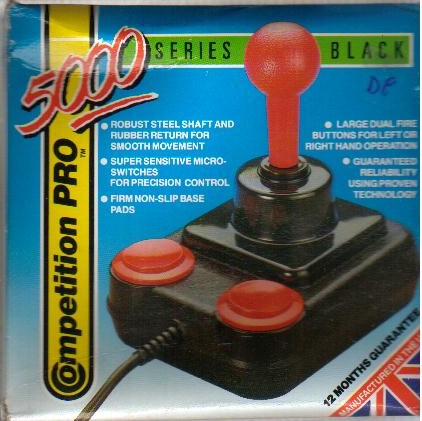
This was the box:
combox

I forget the price, but A$40 comes to mind. Whatever the cost, it was much more than I had available, and I was so worried about the joystick disappearing from the shop I hastily put it on lay-by. I remember being very excited as I collected the various documents (including payment slips) with all sorts of dates on them (“Pay this much by XX” etc.). I planned out my repayment schedule, based on what meagre income (pocket money?) I had in those days. I can even remember having dad drive me to the shop one day just so I could put $2 onto my lay-by! Only when the full price was paid would the joystick be mine.

Oh the unfettered enthusiasm of youth 🙂

Eventually I got my competition pro, and it was awesome. I still recall how much I loved the thing, and how much I loved the little clicks from the microswitches every time you moved the stick or pushed the button. It was the ticket to even higher love for my Commodore 64. I even carried it to friends houses when I went over to play games with them. I was so proud of it, and that I had lay-bought it.

Remembering this, and writing about it now, makes me wonder what ever happened to that beloved competition pro of mine. Is it in a box in an attic, dusty and forgotten? Or was it long-since buried in a mountain of landfill, or crushed in some reprocessing plant?

Or could it be – impossibly – that some retro enthusiast is loving it still, and using it to this day?

Man Droid

First of all, the blog was down due to equipment failure at the host (ie. my brother’s computer). Now it’s back I can get to business!

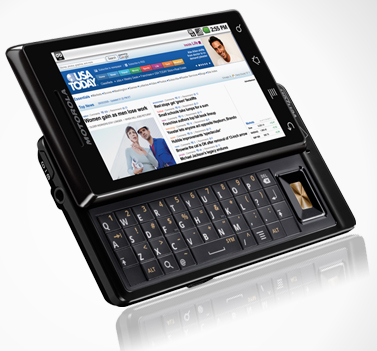
Last Saturday I bought myself one of these:

droid

Yep thats a (Motorola) Droid smartphone running the Android OS. My old phone was being weird and had battery issues so it was due for an upgrade. I was holding out for Apple to announce a CDMA iPhone which didn’t happen the other week so I caved and went to the competition.

After having the phone for a week my review is “thumbs up”. Aside from the fact it is stylish and fast and nifty, I now have a data plan and full access to the web from anywhere, which means I can make use of services beyond simple text messages. This includes email, a web browser, twitter (more on this in a bit) and of course the app store.

I’m no stranger to a device like this (a portable OS with an app store) since I’ve had an iPad for months now and an iPod Touch for years, but I can’t deny the convenience of carrying it around with me everywhere. The phone also has a GPS chip in it, which means Google Maps runs staggeringly well – even to the point of showing your orientation on the map. I pulled up my location in the living room and it was accurate to 1 meter. I then rotated on the spot and watched my arrow rotate on the screen in real time. Impressive.

There are a few trifling negatives with the phone I have noticed so far: no way to turn the unlock vibration off, the phone can slide open in my pocket and sometimes turn on, people tell me I sometimes sound muffled talking. But some of these are just getting used to a new device. For instance 5 days ago I may have commented on the keyboard being a bit dinky but I’m now very used to it. Similarly what I first thought may have been battery life on the low side got much better when I tweaked settings and installed a task killer app.

The day I got the phone I also (“finally”, some may say) joined Twitter.

twitter

Twitter is a social networking mini-blog site that lets user post up to 140 character ‘tweets’ about anything they like. You can follow me at: twitter.com/richardjesper (or click the link on the right)

Twitter will not replace this blog so don’t worry about that. Rather I will use it exclusively from my phone, so it will likely replace the phone blogs I occasionally did (but not the ones with photos – they’ll still go to Robot Claw). If any of you use twitter please post your twitter ID as a comment (or email it to me) so I can follow you (if I am not already).

So overall, I’m digging this Droid phone mostly because of what it now lets me do. I would recommend it wholeheartedly to everyone I know with one reservation – they already have them!

Yep, as is the case with most of my life the world took notice, and once I got a Droid it became the cool thing to do and everyone ran out and got one. This includes KLS, JAF and JBF, and it soon to include (I strongly suspect) SFL. Only BFS is the holdout!

A Technical Discussion

So I was thinking yesterday, during a hot walk to the post office “How did Eugene Jarvis do the lasers in Defender?”

I swear this is not a joke post. Such thoughts as this do occasionally work their way into my mind.

To see what I am talking about, here’s a video of the arcade version of Defender:

There are countless amazing things about the game Defender. The sound effects, the controls, the particle effects, the sublime design. All this in a game that is 28 years old.

Pay close attention to the lasers the ship puts out. See how they are not an unbroken line? See how they seem to start as a random stream of particles and then connect into a solid line. They are simultanenously chaotic and structured; solid and discrete. Could this be a representation of the wave and particle duality of light in video game form? Who knows… certainly not me… but I do know the laser graphics are mesmerising and one of the most memorable things about the game.

So I wondered to myself yesterday, in my memory, how did he do these very organic and colourful particle-y laser beams? How did he make each beam unique and therefore special?

I came up with what seems like a good technique. Start with an 1 dimensional array representing the laser. Pick some random positions (on the left side) and occupy them: these are the dots that begin the laser. Then do a pass through the array populating empty spots with a frequency depending on the occupancy of nearest and next-nearest neighbours. This gives a good representation of particles knitting together to form a beam. You could even fake the movement of the laser by making the array width the same as the screen width and base the start on the ship start position (ie. no sprite movement is needed). Using this technique you could even write to the screen memory directly and possibly avoid sprites.

I’d solved it! Randomized laser beams that look like those in Defender! Voila!

But…

Take a look at this video:

It’s a little tricky to see but if you inspect the lasers you will notice they all look… similar.

Can’t decide? This may be clearer:

Nothing special about those lasers. Just lines… but more importantly: all the same lines. (As an aside, that previous video deserves a blog post unto itself…)

So is it because the BBC Micro and the 2600 are craptastic computers that the coders couldn’t reproduce the majesty of Jarvis original lasers? Perhaps, and this is certainly an attractive thought.

But go take a look at the original video again. Look very closely.

Yes, the sad truth: all the lasers in Defender are identical. There is no magic coding at work there. Just a sprite.

Another childhood illusion dashed on the shores of truth 🙁